print it (if your SRS can already print a bill or credit note on paper)
Your SRS also sends the prescribed information in the report to the WEB-SRM.
Prescribed information in the user report
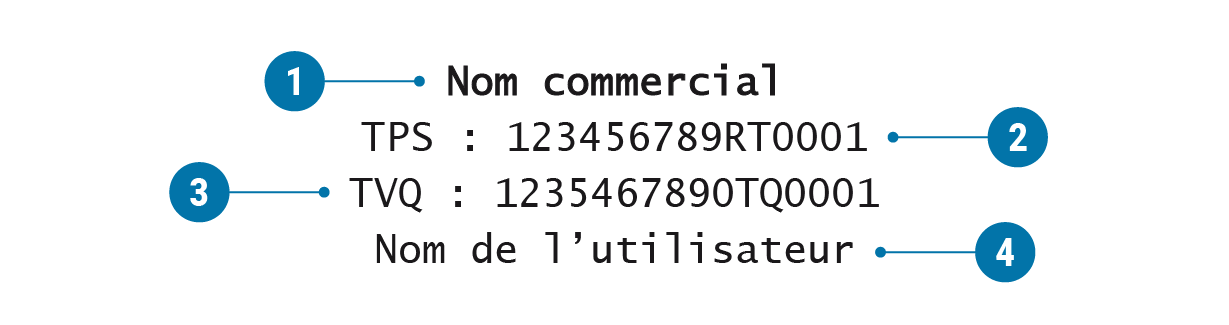
Here's an example of a user report with the prescribed information. Click on the question mark for the information you want to see.
1. Business name
The name you do business under (as entered in the enterprise register, if applicable).
2. GST registration number
Your goods and services tax (GST) registration number.
3. QST registration number
Your Québec sales tax (QST) registration number.
4. User name
The first and last name of the person linked with the user account.
Address of the establishment
When applicable, the establishment's complete address, given with the fields separated by commas, as follows:
Format: street number, street name, city and postal code
If there is a unit number, it must come first followed by a hyphen and the street number (e.g. 100-3800)
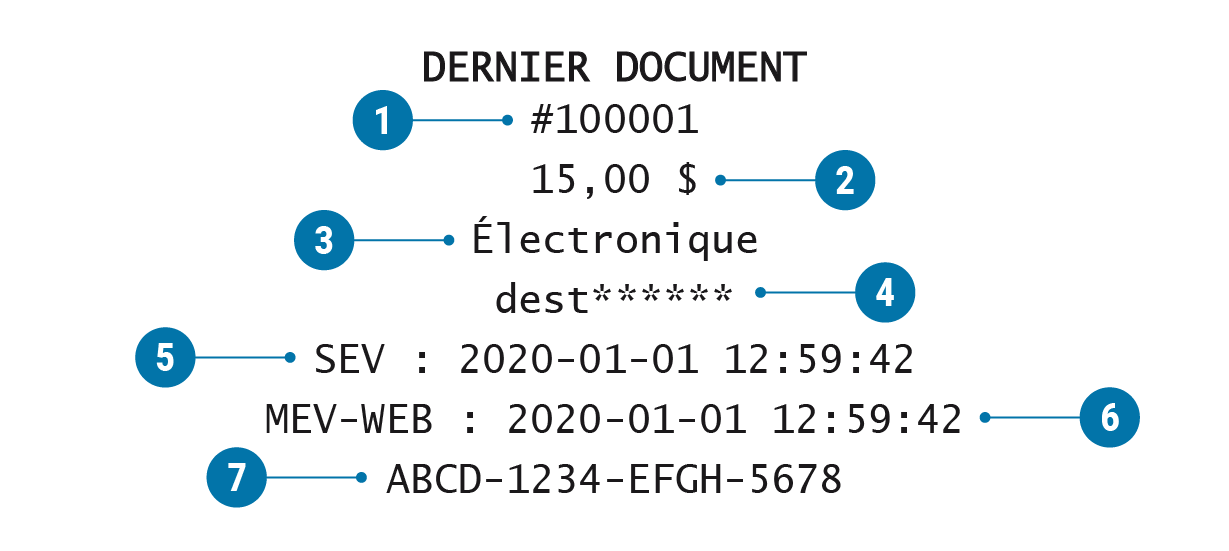
Information on the last document produced
The information on the last document produced (by the active user or by all users, depending on the sector of activity), with or without a network connection. This information, which pertains to the device for which the report is produced, includes:
the transaction number generated by the SRS
the price including taxes
the print options (paper, electronic, paper and electronic or not printed)
the first 4 characters of the recipient's email address followed by 6 asterisks (*), or 6 asterisks (*) followed by the last 4 digits of the recipient's phone number (text) if the bill is electronic
the date and time (hour, minute and second) of the last bill produced by the user
the date and time (hour, minute and second) we processed the transaction
the transaction number sent to the WEB-SRM
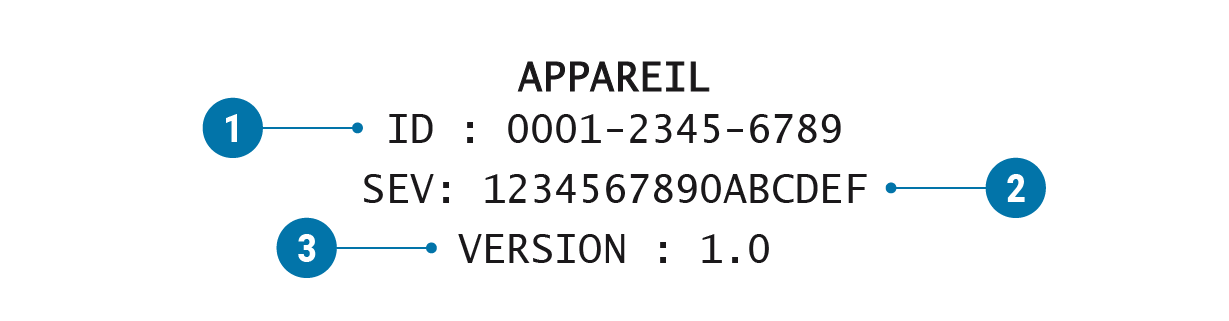
1. Device identifier
The unique device identifier.
2. SRS identifier
The unique SRS identifier.
3. SRS version number
The SRS version number assigned by the developer.
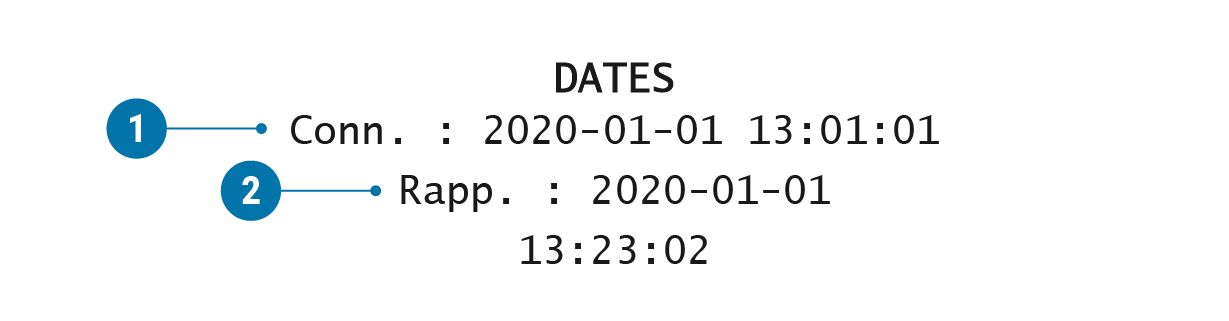
Login time
The date and time (hour, minute and second) the user logged in to their account.
Report date and time
The date and time (hour, minute and second) the report was produced.
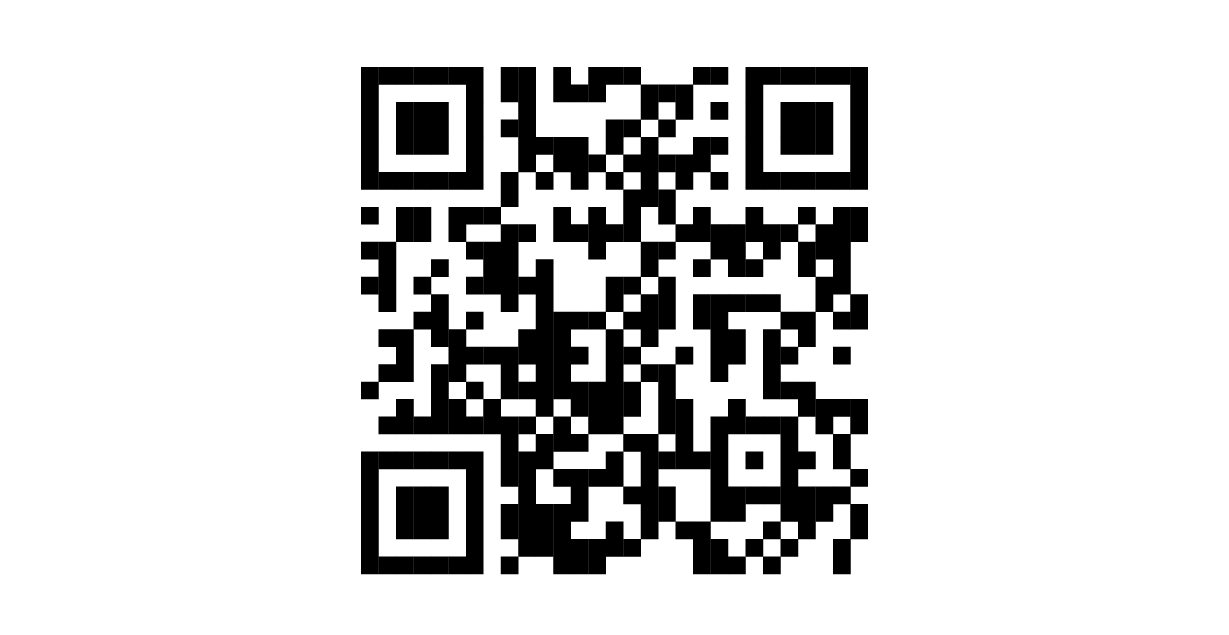
QR code
The QR code containing the information in the report.
Note
Note
The sales summary is not displayed on your SRS when you request a user report, but the information it contains is sent to the WEB-SRM, including:
the year (current or previous) the transactions were recorded
the total number of transactions
the number of payment transactions
the subtotal before taxes
the GST and the QST
the total after taxes
the adjusted amount
the amount due
This information concerns the active SRS user or all users, depending on the sector of activity. It relates to the device on which the report is requested or to all devices in the establishment, depending on the situation, regardless of whether they have an internet connection.